



Last updated: November 2026
Quick answer: Windows Server 2016 end of support is 12 January 2027. After that date Microsoft stops free security updates, so an unpatched server becomes an easy target for ransomware. You have five options: upgrade in place, migrate to Windows Server 2025, buy extended security updates, move to the cloud, or retire the server.
Most factory servers we see around Vapi were bought in 2017 or 2018 and then forgotten. They hold Tally data, shared folders and sometimes attendance or CCTV software. Because they work, nobody asks questions.
Windows Server 2016 end of support changes that. A&T Technologies, an IT sales and service company in Vapi, Gujarat, wrote this for owners and admin managers with only a few weeks left to decide. You will get the five options, a simple way to choose, and the checks to finish before any cutover.
Table of Contents
What does Windows Server 2016 end of support actually mean?
It means Microsoft stops shipping free security updates and technical support for Windows Server 2016 after 12 January 2027, as the Microsoft lifecycle page for Windows Server 2016 confirms. Mainstream support already ended in January 2022.
The server will not switch off that day. It keeps running, and that is the danger. Every weakness found afterwards stays open, and antivirus cannot patch the operating system underneath. A server of this age also has disks, fans and power supplies wearing out on their own schedule.
How to find servers affected by Windows Server 2016 end of support
Log in to every server, check the Windows version, and note its roles and purchase year. Include virtual machines and the old desktop under someone’s desk that quietly acts as a file server.

What are your 5 options after Windows Server 2016 end of support?
You have five options, and they are not equal. Here is the order we would normally consider them.
- Upgrade in place. The newer Windows Server is installed over the old one on the same hardware. Old drivers and clutter come along too, so we use this only on a clean, lightly loaded server on newer hardware.
- Migrate to Windows Server 2025 on new hardware. A fresh server is built, data and roles move across, and the old machine stays as a fallback. This Windows Server 2025 upgrade route is our usual advice, because the new version stays supported well into the 2030s.
- Buy extended security updates. Microsoft sells them for Windows Server 2016 through Azure Arc, priced per core. They buy time for one stubborn application. They are a bridge, not a plan.
- Move to the cloud. Hosting in Azure removes hardware worries, but it adds a monthly bill and makes your internet line a single point of failure.
- Retire the server. Many old servers only hold a few shared folders. A NAS or cloud storage can replace them with far less effort.
Which option should you choose for Windows Server 2016 end of support?
Choose by the server’s age and its job. For most small plants, we would pick option 2. For a 10-user office with only a file share, option 5 is usually enough.
| Option | Best for | Watch out for |
|---|---|---|
| In-place upgrade | Newer, healthy server, one simple role | Old drivers carry over; back up first |
| Migrate to Windows Server 2025 | Older hardware, Tally or ERP servers | Test every application before cutover |
| Extended security updates | One legacy app that cannot move | Paid per core; temporary; needs Azure Arc |
| Cloud hosting | Offices needing remote access | Monthly cost; internet uptime |
| Retire or replace with NAS | Servers that only store files | Rebuild permissions and backups |

Is a Windows Server 2025 upgrade better than extended security updates?
For a business staying on-premises, yes, almost always. Paid updates keep patching an ageing platform, and the bill repeats every month. A Windows Server 2025 upgrade resets the clock for years. The one exception is an old application that will not run on the new version: keep only that workload on updates while you replace it.
What should Vapi factories check before they move?
Run these five checks before any cutover, whichever option you pick.
- Backup and test restore. A backup you have never restored is only a hope. Our data backup and disaster recovery plan for factories in Vapi covers the steps.
- Software compatibility. Check Tally, ERP, attendance and CCTV software against each vendor’s compatibility list.
- Licences. The new version needs its own licences and user access licences (CALs). Budget early.
- Power protection. Voltage swings and power cuts in GIDC estates can corrupt a half-finished upgrade. Use a healthy online UPS and plan the cutover for a Sunday or shutdown day, never during a shift.
- Exposure. Close open remote desktop ports and review your firewall. Our firewall installation guide for Vapi SMEs explains why.
How A&T Technologies helps with Windows Server 2016 end of support
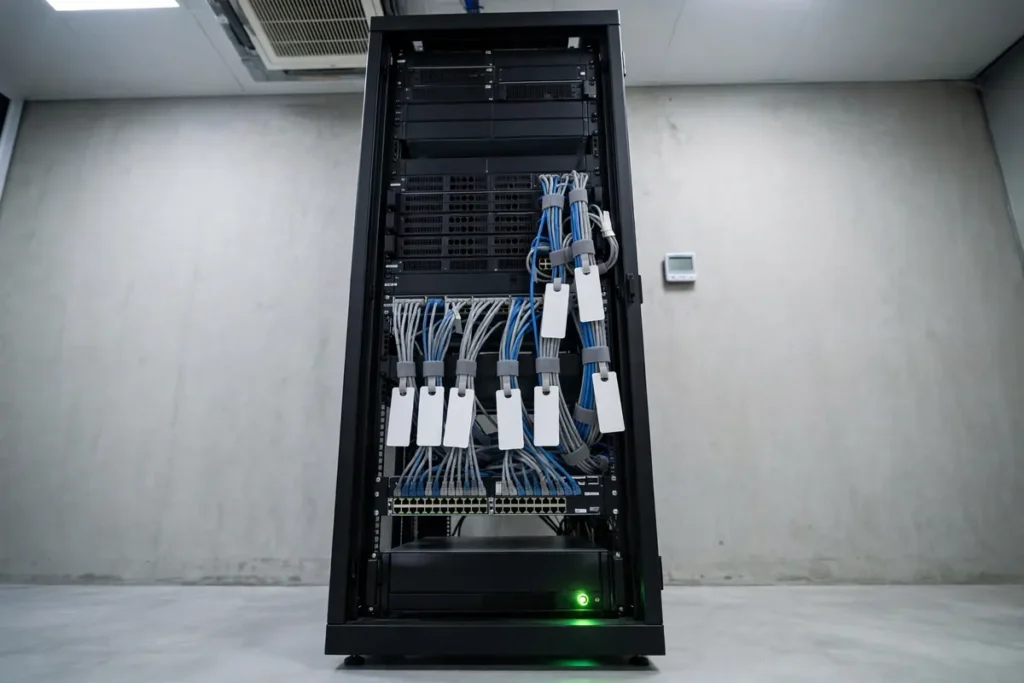
A&T Technologies handles IT infrastructure work for offices and plants across Vapi, Silvassa, Daman and Valsad. We start with a free site audit: an engineer lists every server and device with its age and condition, then gives an honest recommendation, including when a machine is not worth spending on. We also supply new servers and set them up.

Frequently asked questions about Windows Server 2016 end of support
When is Windows Server 2016 end of support?
The end date is 12 January 2027, according to Microsoft’s lifecycle page. Mainstream support ended in January 2022. After January 2027, Microsoft stops free security updates and technical support, so a server still running it must be upgraded, migrated or covered by paid updates.
Is there extended security support for Windows Server 2016?
Yes. Microsoft offers paid extended security updates for Windows Server 2016 through Azure Arc. They cover security fixes only, not new features, and they are meant as a temporary bridge. Ask a licensing partner for current per-core pricing before you plan around them.
Can I upgrade Windows Server 2016 directly to Windows Server 2025?
Sometimes. Check Microsoft’s upgrade-path table for your edition first. On a server that has run for years, we usually prefer a clean install on new hardware and a side-by-side move, because old settings and drivers then stay behind. Always take a full backup before starting.
What happens if I ignore Windows Server 2016 end of support?
Nothing visible at first, which is the trap. Over the following months the server collects unpatched flaws, software vendors may drop support, and ransomware risk rises, especially if remote access is open. A single breach can stop billing, dispatch and payroll for days.
Get a server health check for your Vapi office or factory
Windows Server 2016 end of support is close, but a short survey is enough to pick the right path. We will list your servers, check their age and condition, and tell you honestly whether to upgrade, migrate or retire each one.
Call or WhatsApp: +91 88660 33354 · Email: sales_india@a-ttechnologies.com
Office: D-311, 3rd Floor, M-Cube, Near Bombay Restaurant, Balitha, Vapi – 396195, Gujarat
Contact us